
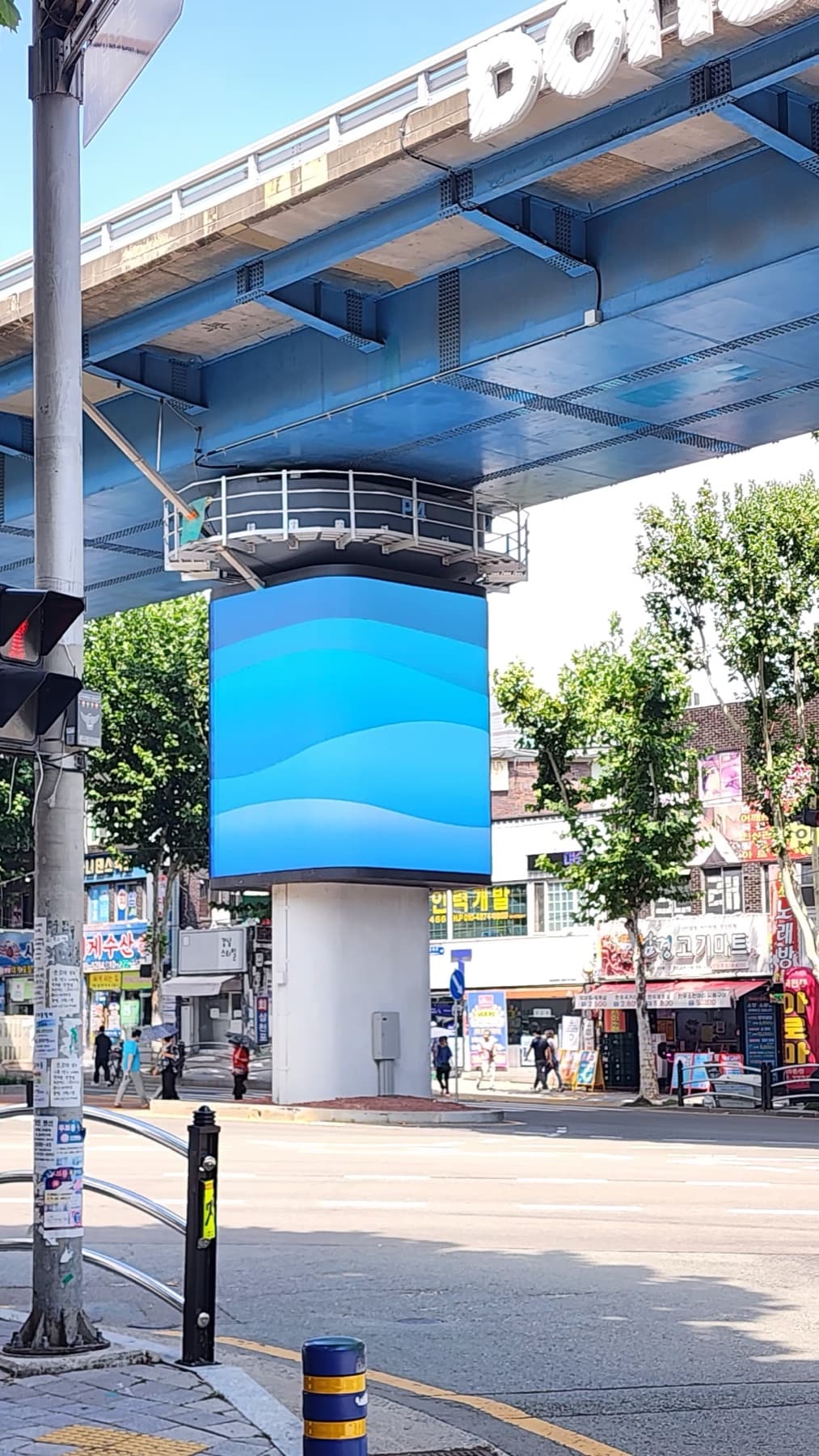
An LED display's switch-on is not the end but the beginning. A dead pixel on one module, a loose connector or a blocked vent will spread to neighboring modules and the power section if left alone, but caught within the first year, it's fixed with a single part. So we manage the first year after installation with monthly operator checks + quarterly scheduled inspections.
This article covers what to check and when, separating what operators can do themselves from what the installer must do.
1. At handover — record baseline values
Inspection means comparing against the "initial state."
After installation, we complete calibration and the aging test (a month of 24-hour operation at Keungogae Intersection), then record baseline photos and settings: photos of full white, red, green and blue screens, the brightness schedule, a controller settings backup, and distribution board breaker labels. All later inspections are compared against this baseline.
We also provide operator training at this point: changing content, adjusting brightness and time schedules, and how to contact us when something goes wrong. An operator who knows these three things can handle most situations on site.
2. Monthly — five minutes for the operator
Visual checks that need no special equipment.
Once a month, with the whole screen lit, check from the front and side for dead lines, dead pixels or off-color sections. Outdoors, also check for surface dust, blocked vents and water pooling under cabinets. Confirm that content and schedules play normally and that brightness drops at night.
If you spot a problem, just take a photo and submit an A/S request. Leaving a single faulty module alone can push heat and current onto adjacent modules and spread the fault, so the trick is never to shrug it off as "just one module."
 Full-screen test — dead lines, pixels or off-color sections
- Surface dust, blocked vents and filters (outdoor monthly, indoor quarterly)
- Water pooling under cabinets or at joints, gaps in silicone
- Normal content and schedule playback, night dimming working
- Controller and network status lights
3. 3, 6, 9 and 12 months — scheduled inspection items
Items the installer checks with equipment.

| Interval | Inspection items | Who |
|---|---|---|
| 1 month | Remote monitoring logs, brightness schedule and ambient light sensor operation, early module failures | Installer (remote + 1 visit) |
| 3 months | Connector and power terminal tightness and discoloration, power supply output voltage, ventilation fan operation, waterproof seal condition | Installer |
| 6 months | Recalibration (brightness and color uniformity), controller and receiving card firmware, grounding and SPD check | Installer |
| 9 months | Seasonal check — waterproofing, drainage and structural fastening before and after the rainy and typhoon seasons, condensation prep before winter | Installer |
| 12 months | Full inspection + replacement of consumables (fans, power supplies) before warranty expires, securing spare modules, next-year contract discussion | Installer + operator |
4. Brightness management determines lifespan
Running at 100% around the clock greatly shortens lifespan.
According to manufacturer data, running at maximum brightness 24 hours a day shortens lifespan by tens of percent, while running at 60–70% brightness can extend use beyond the standard lifespan (about 100,000 hours). Outdoors, automatic dimming with an ambient light sensor — near maximum only by day and lower at night — solves lifespan, electricity costs and complaints all at once.
Content has an effect too. Long periods of static white-background images concentrate heat on certain modules, which change color first. Use dark backgrounds for information screens and rotate static images regularly.
5. Warranty and maintenance contracts
A warranty means "fixing it when it breaks"; maintenance means "checking it before it breaks."
Parts defects are handled free of charge during the warranty period, but causes that proper care can prevent — dust, moisture, overvoltage — are often not covered. So, separately from the warranty, we recommend a maintenance contract (4 scheduled inspections a year + remote monitoring + emergency call-outs). More and more sites, like Keungogae Intersection, hand over management to us for ongoing care even after the warranty ends.
What to check in a contract: number and scope of scheduled inspections, emergency response time, availability of spare modules and power supplies, scope of remote monitoring, and the basis for consumable replacement costs.
① Symptoms and what to do
Commonly reported symptoms and their causes.
| Symptom | Common cause → action |
|---|---|
| A line or section goes dark | Receiving card or data cable → reconnect cable, replace receiving card |
| One module is dim or off-color | Module aging or heat → replace module, then calibrate |
| Whole screen flickers or goes dark | Power supply, breaker or voltage drop → check power section and circuit capacity |
| Some modules fail after rain | Damaged waterproof seal or condensation → repair seal, inspect modules after drying |
| Complaints that it's too bright at night | Faulty ambient light sensor or no schedule set → check sensor, set night brightness |
| Content won't update | Network or controller → check connection, restart controller or update firmware |
② Operator checklist
Follow these five and your first year will be trouble-free.
- Check the display monthly + photograph and report any issues
- Keep automatic brightness and operating-hour schedules (never lock at 100%)
- Keep vents and cabinet areas clear; check dust monthly outdoors
- Never connect other equipment to the display's dedicated circuit
- Keep the controller settings backup and distribution board labels
Inspection intervals and items: Unilight, Installation & Maintenance Guide · Excel LED, Outdoor LED Display Maintenance Schedule · Dynamo, LED Display Maintenance / Brightness management and lifespan: Fusion LED, Maintenance & Longevity · PTC LED, Maintenance Guide. Handover procedures (calibration, aging, operator training) and after-sales contract terms come from LO-GIN IT project records (Keungogae Intersection, Hyangchon Cultural Center). Lifespan figures vary by manufacturer and model.
Recommended specs for this guide
- Monthly: 5-item operator visual check
- 3, 6, 9, 12 months: installer's scheduled inspection
- 60–70% brightness + automatic night dimming
- Warranty + maintenance contract (4×/year, remote, emergency call-outs)